
Windows (Ventoy2Disk.exe)
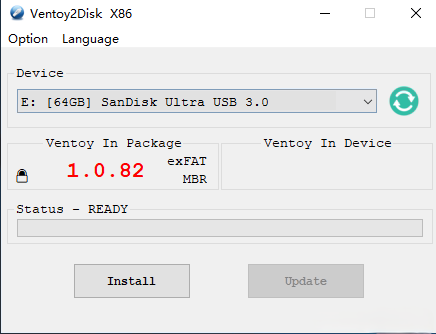
- Extract the ZIP from the official mirror. Run Ventoy2Disk.exe as administrator.
- Select the correct USB device (double-check the drive letter and size).
- Choose GPT or MBR partition style to match your target PCs (GPT is typical for modern UEFI systems).
- Click Install. When finished, copy ISO files to the large partition.
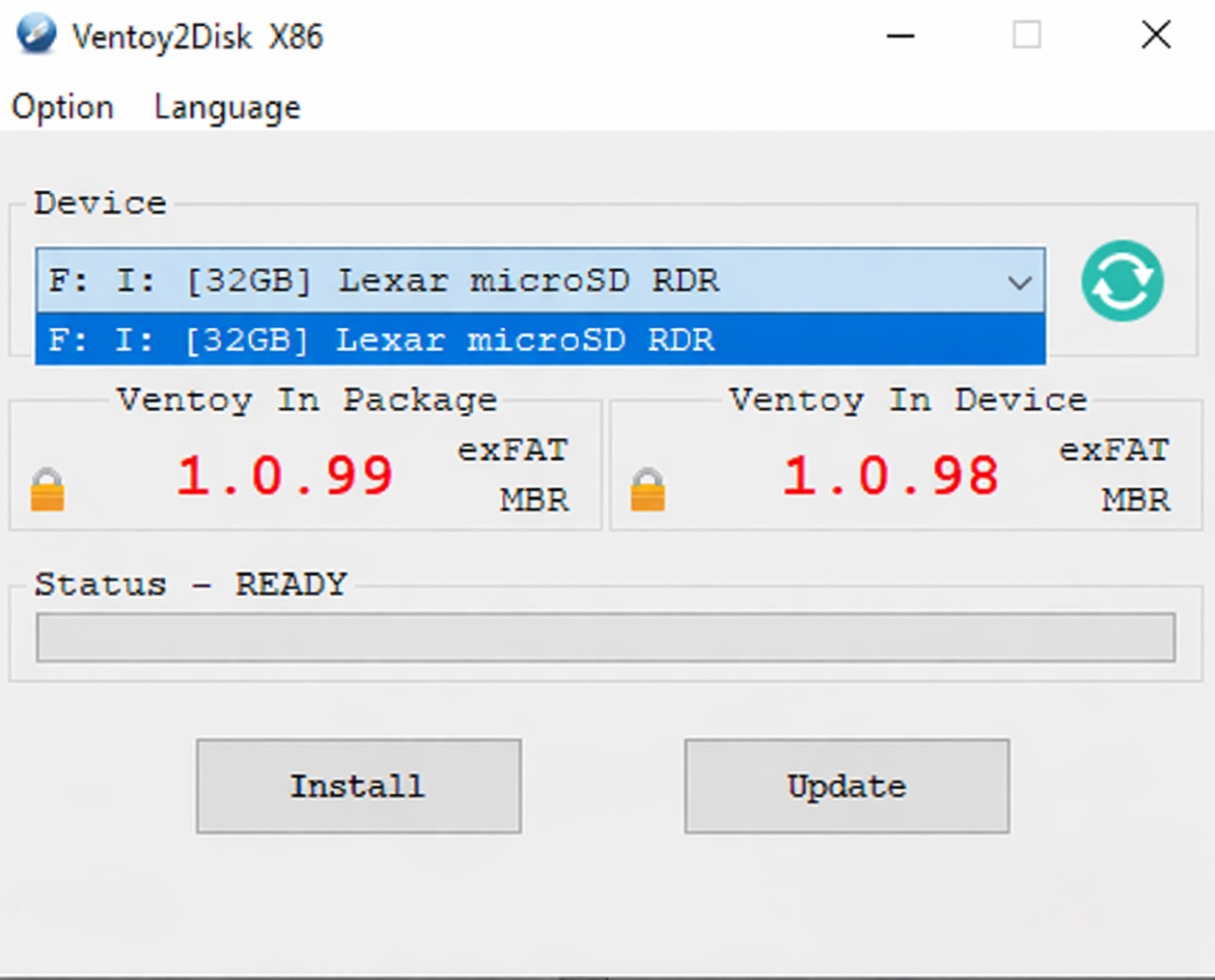
Full Ventoy2Disk window on Windows. Double-check the selected device before installing.